Have you ever wished you could turn off a forgotten light from miles away, schedule your coffee maker to brew just as you wake up, or make your home appear occupied while you’re on vacation? Smart plugs are the simple, effective solution, and Merkury Smart Plugs stand out as an incredibly accessible option for anyone looking to dip their toes into smart home automation. With over a decade of hands-on experience in consumer electronics, particularly in smart home solutions, I’ve had the opportunity to test countless smart plugs, and Merkury Innovations consistently delivers on its promise of affordability and ease of use, making smart living a reality for everyone.
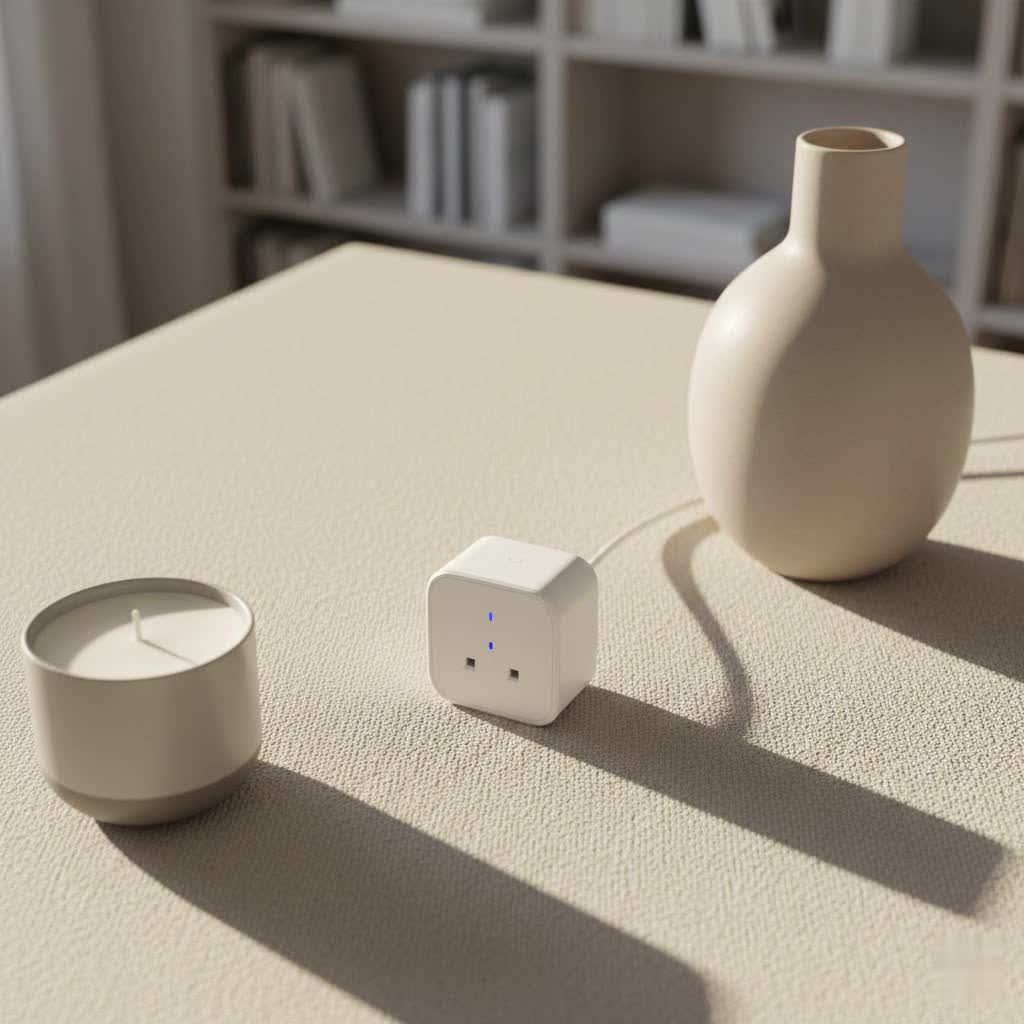
This comprehensive guide will explore everything you need to know about Merkury Smart Plugs, from their core functionality and benefits to setting them up and maximizing their potential. Join us as we uncover how these compact devices can transform your home into a more convenient, energy-efficient, and secure sanctuary.
What is a Smart Plug?
A smart plug is a small device that plugs into a standard electrical outlet, allowing you to remotely control whatever is plugged into it. Essentially, it transforms any conventional appliance or electronic device into a “smart” one. Instead of relying on manual switches, smart plugs enable control via a smartphone app, voice commands, or automated schedules. They are sometimes referred to as Wi-Fi outlets, smart switches, or smart power adapters.
Merkury Smart Plugs embody this concept by providing an affordable and straightforward entry point into home automation. Their primary function is to give you command over your non-smart devices, offering convenience and efficiency without requiring a complete overhaul of your existing appliances.
How Merkury Smart Plugs Work
Merkury Smart Plugs operate by connecting to your home’s Wi-Fi network, typically using the 2.4 GHz frequency band. This wireless connection is crucial as it allows the plug to communicate with its dedicated control application, such as the Geeni app or Merkury Smart app, on your smartphone or tablet.
The general mechanism involves:
- Wireless Connectivity: The plug contains a Wi-Fi module that establishes a connection with your home router.
- App Control: Once connected, the app acts as your central command center. You can toggle the power on or off, set schedules, and monitor the plug’s status from anywhere with an internet connection.
- Voice Integration: Merkury Smart Plugs are designed to seamlessly integrate with popular voice assistants like Amazon Alexa and Google Assistant. This allows for hands-free control, letting you simply speak commands to manage your connected devices.
|
Our Picks for the Best Smart Plug in 2026
As an Amazon Associate I earn from qualifying purchases.
|
||
| Num | Product | Action |
|---|---|---|
| 1 | EIGHTREE Smart Plug, WiFi Outlet Works with Alexa & Google Home, Smart Home Socket with Remote Control & Timer Function, 2.4GHz WiFi Only, 4 Packs |

|
| 2 | Govee Smart Plug, WiFi Plugs Work with Alexa & Google Assistant, Smart Outlet with Timer & Group Controller, WiFi Outlet for Home, No Hub Required, ETL & FCC Certified, 2.4G WiFi Only, 4 Pack |
|
| 3 | Kasa Smart Plug Ultra Mini 15A, Smart Home Wi-Fi Outlet Works with Alexa, Google Home & IFTTT, No Hub Required, UL Certified, 2.4G WiFi Only, 2 Count (Pack of 1)(EP10P2) , White |
|
| 4 | BSEED WiFi Smart Plug, 3 Outlet Surge Voltage Protector with Light Indicator, APP Control, Energy Monitoring, Wall Mount Power Suppressor for Refrigerator/TV/PC, 125V/1875W, FCC Listed,1 Pack |
|
| 5 | DeeprClean Mini Smart Plugs That Work with Alexa, Wifi Socket Compatible with Google Assistant, App Controlled Outlet with Timer & Schedule, 2.4GHz Wi-Fi Only Wireless Plugs Outlet for Smart Home Life |
|
| 6 | Amazon Smart Plug - Works with Alexa - Simple setup, endless possibilities |
|
| 7 | Kasa Smart Plug HS103P2, Smart Home Wi-Fi Outlet Works with Alexa, Echo, Google Home & IFTTT, No Hub Required, Remote Control,15 Amp,UL Certified, (Pack of 2) White |
|
| 8 | Kasa Smart Plug HS103P3, Smart Home Wi-Fi Outlet Works with Alexa, Echo, Google Home & IFTTT, No Hub Required, Remote Control,15 Amp,UL Certified, White, 3 Count (Pack of 1) |
|
| 9 | Kasa Smart Plug HS103P4, Smart Home Wi-Fi Outlet Works with Alexa, Echo, Google Home & IFTTT, No Hub Required, Remote Control, 15 Amp, UL Certified, 4-Pack, White |
|
| 10 | Kasa Matter Smart Plug w/ Energy Monitoring, Compact Design, 15A/1800W Max, Super Easy Setup, Works with Apple Home, Alexa & Google Home, UL Certified, 2.4G Wi-Fi Only, White, KP125M (4-Pack) |
|
The setup process usually involves plugging in the device, opening the app, and following on-screen instructions to link the plug to your Wi-Fi network and smart home ecosystem. This simple, hub-free operation is a key appeal of Merkury’s offerings.
Benefits of Using Smart Plugs
Integrating Merkury Smart Plugs into your home brings a multitude of advantages that enhance comfort, security, and efficiency:
- Energy Savings: By scheduling devices to turn off when not needed or controlling “vampire drain” appliances, smart plugs can significantly reduce your electricity consumption. You can easily switch off chargers, TVs, or lamps when you leave home, preventing them from drawing standby power.
- Remote Control: The convenience of managing your devices from anywhere is a major draw. Whether you’re at work, on vacation, or just in another room, you can turn lights on or off, activate fans, or check if an appliance was left running, all from your smartphone.
- Automated Scheduling: Create custom schedules to automate your daily routines. Have your lights turn on at sunset, your bedroom fan activate before you go to sleep, or holiday decorations illuminate precisely on time without lifting a finger.
- Enhanced Home Security: Utilize “home presence mode” to deter potential intruders. By setting varied on/off schedules for lights and other devices, your home can appear occupied even when you’re away, adding an extra layer of security.
- Voice Command Integration: Enjoy hands-free control by linking your Merkury Smart Plugs to Amazon Alexa or Google Assistant. Simply speak your commands to manage devices, adding a futuristic touch to your daily interactions.
- Easy Integration: Merkury Smart Plugs are designed for seamless integration into existing smart home setups. They connect directly to your Wi-Fi network, eliminating the need for a separate hub, making setup quick and hassle-free.
Types of Merkury Smart Plugs
Merkury Innovations offers a range of smart plugs tailored to different needs and environments, ensuring there’s a suitable option for almost every application in your smart home journey.
By Form Factor and Location
- Mini Smart Plugs: These compact plugs are designed to be unobtrusive, often small enough not to block adjacent outlets. They are perfect for discreetly automating lamps, small appliances, or charging devices indoors.
- Outdoor Smart Plugs: Merkury provides robust outdoor smart plugs that are typically weatherproof, making them ideal for managing exterior lighting, holiday decorations, patio heaters, or fountain pumps. These are built to withstand various environmental conditions.
- Smart Plugs with Multiple Outlets: Some designs offer more than one controllable outlet within a single unit, providing greater flexibility for managing multiple devices from one wall socket.
By Features
- Energy Monitoring Smart Plugs: Certain Merkury Smart Plugs come equipped with energy tracking capabilities. These allow you to monitor the power consumption of connected devices, providing valuable insights into your electricity usage and helping you identify opportunities for further savings.
- Voice Assistant Compatible Smart Plugs: All Merkury Smart Plugs are compatible with leading voice assistants like Google Assistant and Amazon Alexa, enabling convenient voice control for your connected devices.
Popular Merkury Smart Plug Offerings
While Merkury Innovations often rebrands or shares technology with lines like Geeni, their products are consistently recognized for their value and core functionality. Reviewers frequently praise the simple Wi-Fi connection and the intuitive nature of their accompanying apps.
Comparing Smart Plugs: Merkury vs. the Competition
When choosing a smart plug, understanding how Merkury stands against other popular brands can help you make an informed decision. Merkury is often lauded for its affordability and ease of use, particularly for beginners.
| Feature / Product | Merkury Indoor Smart Plug | Merkury Outdoor Smart Plug | TP-Link Kasa Smart Plug (e.g., KP105) |
|---|---|---|---|
| Price Range | Low ($5-$15) | Low-Medium ($10-$25) | Medium ($15-$30) |
| Key Features | Remote On/Off, Scheduling, Voice Control, Grouping | Remote On/Off, Scheduling, Voice Control, Weatherproof, Grouping | Remote On/Off, Scheduling, Voice Control, Energy Monitoring (on some models), Away Mode |
| Max Load | Typically 15A/1800W | Typically 15A/1800W | Typically 15A/1800W |
| Connectivity | 2.4 GHz Wi-Fi | 2.4 GHz Wi-Fi | 2.4 GHz Wi-Fi |
| App | Geeni App / Merkury Smart App | Geeni App / Merkury Smart App | Kasa Smart App |
| Voice Control | Alexa, Google Assistant | Alexa, Google Assistant | Alexa, Google Assistant |
| Pros | Highly affordable, easy setup, compact design, reliable connection. | Weatherproof, good value for outdoor use, simple setup. | Robust ecosystem, very reliable, advanced features like energy monitoring (on select models), often more premium feel. |
| Cons | May lack advanced features like detailed energy monitoring on all models, can feel less premium. | Potentially bulkier than indoor plugs, limited advanced features. | Higher price point, some users report occasional connectivity issues (though generally reliable). |
> “Merkury Smart Plugs offer an incredible value proposition for their price. They might not have every bells and whistle of premium brands, but for core functionality like remote control and scheduling, they are remarkably reliable and user-friendly, especially for those new to smart home tech.” – Admin, Reviewnamg.com
Merkury Smart Plug Buying Guide
Choosing the right Merkury Smart Plug involves assessing your specific needs and understanding the key features available. Here’s a guide to help you make an informed decision:
Determine Your Usage Needs
- What devices do you want to control? For simple lamps or fans, a basic indoor plug is sufficient. For outdoor holiday lights or fountain pumps, a weatherproof outdoor plug is essential.
- What features are crucial? Do you only need basic on/off scheduling, or is energy monitoring important for tracking consumption?
- Do you have an existing smart home ecosystem? Merkury plugs seamlessly integrate with Google Assistant and Amazon Alexa, making them a great addition if you already use these voice assistants.
Key Factors to Consider
- Power Capacity: Ensure the plug’s maximum load capacity (typically 15A/1800W for standard 120V outlets) is sufficient for the device you intend to plug in. This is crucial for safety and performance.
- Compatibility: Verify it connects to your 2.4 GHz Wi-Fi network, as Merkury plugs generally do not support 5 GHz Wi-Fi. Also, confirm compatibility with your preferred voice assistant (Alexa, Google Assistant).
- Form Factor: Consider the size and shape. Mini plugs are ideal for not blocking other outlets, while bulkier outdoor plugs need to fit securely.
- Safety Features: Look for certifications and features like overload protection, which enhance safety for your home and devices.
- Brand Reputation and Reviews: Merkury is known for its affordability and ease of use. Check recent user reviews for feedback on specific models you’re considering.
- Price: Merkury Smart Plugs are highly competitive on price, often found as excellent budget-friendly options.
Where to Purchase Merkury Smart Plugs
Merkury products are widely available, often found at major retailers that prioritize value and accessibility:
- Mass Retailers: Walmart is a common place to find Merkury Smart Plugs, often offering them at very competitive prices.
- Online Marketplaces: E-commerce sites are another reliable source, providing a wide selection and the convenience of home delivery.
- Electronics Stores: While less common than mass retailers for Merkury specifically, general electronics stores might carry them or similar Geeni-branded products.
How to Set Up and Use Your Merkury Smart Plug
Getting your Merkury Smart Plug up and running is a straightforward process, typically involving a few simple steps with the accompanying app.
Basic Setup Steps
- Download the App: Begin by downloading the “Geeni” app or “Merkury Smart” app from your smartphone’s app store (iOS or Android). Create an account if you don’t already have one.
- Plug in the Smart Plug: Insert your Merkury Smart Plug into a standard wall outlet. The indicator light on the plug should begin to flicker blue, signaling it’s ready for connection.
- Connect to Wi-Fi:
- Open the Geeni app and tap the “+” icon to add a new device.
- Select “Smart Power” or “Smart Plug” from the list of device types.
- Confirm that the plug’s indicator light is blinking rapidly. If not, press and hold the power button on the plug for about 3-5 seconds until it starts blinking quickly.
- Enter your 2.4 GHz Wi-Fi network name and password into the app. Remember, Merkury plugs do not connect to 5 GHz networks.
- Follow the on-screen prompts to complete the pairing. The app will search for, register, and initialize the device. Once connected, the light will turn solid blue.
- Name Your Smart Plug: Assign a descriptive name to your plug (e.g., “Living Room Lamp,” “Coffee Maker”) within the app. This makes it easier to identify and control, especially with voice commands.
- Remote Control: You can now toggle the connected device on and off directly from the app, no matter where you are.
Effective Usage Tips
- Create Automated Schedules: Leverage the app’s scheduling feature to automate routine tasks. Set lights to turn on before you arrive home or turn off automatically at bedtime to conserve energy.
- Integrate with Voice Assistants: Link your Merkury Smart app account to Amazon Alexa or Google Home. This allows you to control your devices with simple voice commands, like “Hey Google, turn on the bedroom fan”.
- Group Devices: If you have multiple Merkury Smart Plugs, group them together in the app. This allows you to control several devices simultaneously with a single tap or voice command, such as turning off all living room lights at once.
- Utilize “Away Mode”: If available, activate an “away mode” or create schedules that randomly turn lights on and off to simulate occupancy when you’re not home, enhancing security.
- Monitor Energy (if applicable): For models with energy monitoring, regularly check the consumption data to identify power-hungry devices and optimize your energy usage.
Conclusion
Merkury Smart Plugs offer an accessible and effective pathway to a smarter, more convenient, and energy-efficient home. With their user-friendly setup, seamless compatibility with popular voice assistants, and highly competitive pricing, they empower users to transform ordinary appliances into smart devices with minimal effort and investment. From automating daily routines and enhancing security to simply enjoying the convenience of remote control, Merkury Smart Plugs consistently deliver on their promise of simplifying smart living.
Whether you’re a smart home novice or an experienced enthusiast looking to expand your system without breaking the bank, Merkury Innovations provides a reliable and affordable solution. Ready to experience the power of smart automation? Explore the world of Merkury Smart Plugs and take the first step towards a more connected home today! What smart device will you automate first?
Frequently Asked Questions
Are Merkury Smart Plugs compatible with Apple HomeKit?
No, Merkury Smart Plugs are generally not compatible with Apple HomeKit directly. They primarily integrate with Amazon Alexa and Google Assistant ecosystems.
Do Merkury Smart Plugs require a hub?
No, Merkury Smart Plugs do not require a separate smart home hub. They connect directly to your home’s 2.4 GHz Wi-Fi network, simplifying the setup process and reducing additional costs.
Can I use Merkury Smart Plugs outdoors?
Yes, Merkury Innovations offers specific indoor/outdoor smart plug models that are designed to be weatherproof and durable for outdoor use. Always ensure you purchase the correct model for outdoor applications.
What app do Merkury Smart Plugs use?
Merkury Smart Plugs primarily use the “Geeni” app or the “Merkury Smart” app for setup and control. Both apps offer similar functionalities for managing your smart devices.
What Wi-Fi frequency do Merkury Smart Plugs use?
Merkury Smart Plugs connect to 2.4 GHz Wi-Fi networks only. They are not compatible with 5 GHz Wi-Fi networks, so ensure your router is configured accordingly during setup.
